Make.com automation workflow diagram showing contact form connected to Trello, Telegram and Outlook — Learn With Ntim

How I Automated My Contact Form to Respond in 30 Minutes Using Make, Trello, Telegram & Outlook

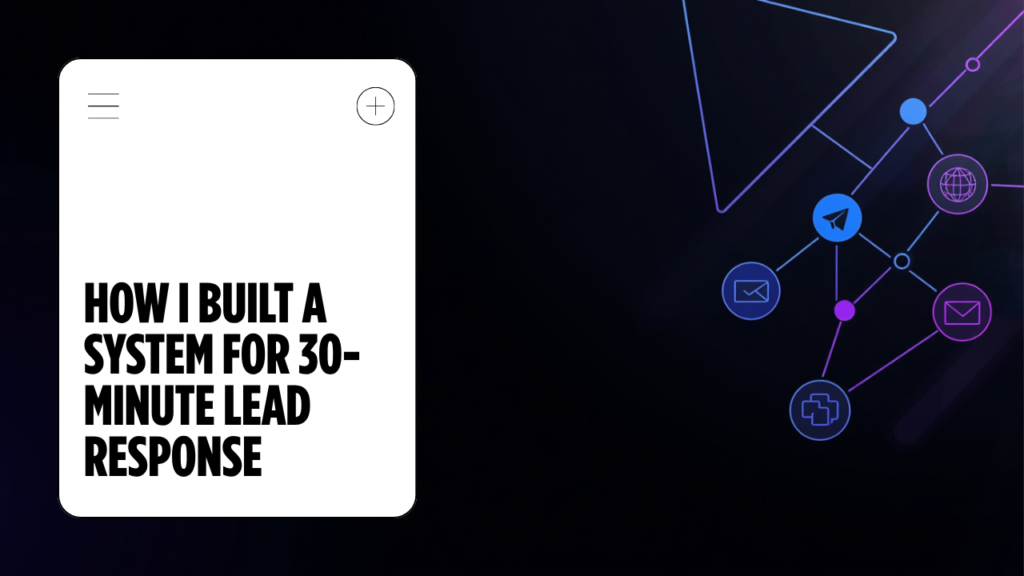
How I Built a System That Guarantees a 30-Minute Lead Response — Automatically

A real-world automation built for a UAE B2B cleaning products company — every screenshot, every error, and every fix documented from an actual build session.

Most contact forms promise to respond within 8 hours. In Dubai’s B2B market, that’s already too late — a prospect who submits a form at 10am has called two other suppliers by lunch.I built this automation for a real client, Bio Detergents & Disinfectants Trading LLC, to solve exactly that problem. The moment someone submits their contact form, three things happen simultaneously: a Trello card is created for the sales team, a Telegram alert fires to their phones, and the prospect receives a branded Outlook email with the company profile PDF attached — all before a human has touched anything.The form promises a callback within 30 minutes. The automation makes sure the team has everything they need to deliver on that promise the second the lead comes in.

"

This is not a tutorial built from hypotheticals. Every screenshot, every error, and every fix you will read about here happened in a real build session.

Martin Danquah (Ntim) — Learn With Ntim
Who this is for

Small business owners, marketing managers, and freelancers who want to respond to leads faster without hiring more staff.

What You Need Before You Start

Here's the full stack used in this build:

🌐 WordPress + Elementor Pro
⚙️ Make.com account
📋 Trello (existing board)
💬 Telegram + BotFather bot
📧 Microsoft 365 / Outlook
📁 Google Drive + API enabled
Cost

This entire stack can run for free or near-free. Make.com's free plan includes 1,000 operations per month — enough for most small businesses under 300 monthly leads.

Part 1: Optimise the Contact Form First

Before automating anything, I rewrote the contact form copy. The original placeholder said: "Tell us what you need and we'll respond within 8 hours."That's a weak promise. Here is what I changed it to:

Rewritten form copy
Headline:

Get a response in 30 minutes

Subtext:

Submit your enquiry and a team member will call or WhatsApp you within 30 minutes — Mon–Sat, 9am–5:30pm GST.

Phone label:

Phone number (required for callback)

CTA:

Request Callback in 30 Minutes

Footer:

Outside business hours? We'll reach you first thing next working day.

Each change is intentional. The headline becomes the value proposition. The phone label prevents incomplete submissions. The CTA signals what the prospect receives, not just what they do. The footer removes the expectation gap for off-hours submissions.

Part 2: Building the Make.com Automation

Here is the full scenario structure:

Elementor (Watch Forms)
Router
Route 1: Trello Card
Route 2: Telegram Alert
Route 3: Drive → Outlook Email

All three routes fire in parallel — no sequential waiting.


Set up the Elementor trigger

In Make, create a new scenario. Add the Elementor module and select "Watch Forms." Connect it via Make webhook. In Elementor Pro: form widget → Actions After Submit → Webhook → paste the Make webhook URL.

Add the Router module

Add a Router after the Elementor trigger. This splits one incoming submission into multiple parallel routes so all three systems fire at the same time, not one after another.

Route 1 — Trello: Create a card

Map the card name to the prospect's name + timestamp. Set the description to all form fields. Set the list to "New Leads." Set the due date to 30 minutes from now using this formula:

{{formatDate(addMinutes(now; 30); 'YYYY-MM-DDTHH:mm:ss')}}
Pro tip

This due date formula creates built-in accountability — the card appears as overdue if your team hasn't acted within 30 minutes.

Route 2 — Telegram: Send a text message

Add a Telegram Bot module → "Send a Text Message or Reply." Map the message body like this:

🚨 New Lead
Name: {{name}}
Phone: {{phone}}
Email: {{email}}
Message: {{message}}
Submitted: {{now}}

This fires instantly to your team's Telegram channel. It's faster than email and harder to miss.

Route 3 — Google Drive + Outlook email

Two modules chained together. First: Google Drive → "Download a File" (use the File ID from the Drive share link — it's the string between /d/ and /view in the URL). Then: Microsoft 365 Email → "Send an Email."

Important: Enable the Google Drive API

Go to console.developers.google.com → APIs & Services → search "Google Drive API" → Enable. If it already shows "Manage," go to Make → Connections → Google Drive → Reauthorize. The Google account in Make must own the file.

Configure the Outlook module as follows:

  • To: map the email field from form data
  • Subject: We’ve received your enquiry — expect a call within 30 minutes
  • Body: HTML with <p> tags (see below)
  • Attachments → File Name: Company Profile 2026.pdf
  • Attachments → Data: map from the Google Drive module output

The confirmation email body (HTML)

<p>Hi {{Name}},</p>

<p>Thank you for reaching out to Bio Detergents &amp; Disinfectants.</p>

<p>A member of our team will call or WhatsApp you at
<strong>{{Phone}}</strong> within <strong>30 minutes</strong>
— Mon–Sat, 9am–5:30pm GST.</p>

<p>If you submitted outside business hours, we'll contact you
first thing next working day.</p>

<p>We've attached our company profile for your reference — it covers
our full product range, certifications, and how we serve businesses
across Dubai and the UAE.</p>

<p>Best regards,<br>
The Bio Dubai Team</p>

How the Make.com Router Works (And Why It Matters)

If you're new to Make, the Router is the most important module to understand before building any multi-channel automation. Most beginners chain modules in a straight line — trigger, then action, then another action. That works, but each step waits for the previous one to finish.The Router breaks that linear structure. Instead of a single chain, it creates multiple independent branches that all fire in parallel from the same trigger. Think of it like a roundabout in traffic — one car enters, and it can exit in several directions at once.

Key insight

Each route in a Router can have its own filter condition. You could set Route 1 to only create a Trello card if the message contains "urgent," while Route 2 fires for every submission. This makes the Router one of the most powerful modules in Make for building intelligent, conditional workflows.

How to add a Router in Make

  1. Click the small circle on the right edge of your trigger module
  2. Search for “Router” and add it
  3. Click the + icon on the Router to add your first route
  4. Add another + for each additional route
  5. Add your action modules to each route independently

Errors I Hit (And How to Fix Them)

This section is what separates a real tutorial from a theoretical one.

403 Google Drive API not enabled

Error: Google Drive API has not been used in project 458302119492 before or it is disabled.

✓ Fix

Go to console.developers.google.com → APIs & Services → search "Google Drive API" → Enable. Wait 2–3 minutes. If already enabled, go to Make → Connections → Google Drive → Reauthorize.

ERR Invalid filename in Outlook attachment

Error: The File Name field rejected "Company Profile 2026" — Value is not a valid filename.

✓ Fix

Add the file extension. The correct value is: Company Profile 2026.pdf

UI Email body rendered as one unbroken paragraph

Error: Confirmation email arrived with all text merged into a single block.

✓ Fix

Use HTML in the body field. Wrap each section in <p> tags and make sure HTML mode is enabled in the Make body field (there is a toggle in the field settings).

TZ Submission timestamp showing wrong timezone

Error: Trello card and Telegram message showed submission times in UTC instead of GST (UTC+4).

✓ Fix

Two changes needed: (1) In WordPress: Dashboard → Settings → General → Timezone → Asia/Dubai. (2) In Make: Profile → Profile Settings → Time Zone → Asia/Dubai.

What the Finished System Does

When a prospect submits the contact form, the following happens within seconds:

📋

Trello card created with all lead details and a 30-minute due date

💬

Telegram alert sent to the team instantly with full contact details

📧

Branded Outlook email with company profile PDF delivered to prospect

Result

Response time reduced from 8 hours to under 30 minutes, with full lead capture in Trello, instant team notification, and a professional automated first-touch email delivered to every prospect. Total human involvement at submission time: zero.

Frequently Asked Questions

Can I use Gmail instead of Microsoft outlook?

Yes. Make has a native Gmail module that works identically to the Outlook module. Replace the Microsoft 365 Email module with the Gmail module, connect your Google account, and map the same fields. If you use Gmail, you can also skip the separate Google Drive module and attach the file directly through Gmail.

Absolutely. Make has a Slack module with a "Create a Message" action. Replace the Telegram Bot module, connect your workspace, choose your channel, and map the same form fields into the message body. Slack is often preferable for teams already using it as their primary communication tool.

Make queues missed triggers automatically. If your scenario is offline when a submission comes in, the data is held in the queue and processed when the scenario resumes. You will not lose leads due to Make downtime as long as your scenario is set to active.

No. The free Make plan includes 1,000 operations per month. Each form submission triggers approximately 4 operations in this scenario, meaning the free plan handles up to 250 submissions per month. The paid Core plan starts at around $9/month and covers up to 2,500 monthly submissions.

Yes. Make has native integrations for WPForms, Gravity Forms, Typeform, Tally, and most other major form platforms. For platforms without a native Make module, use the generic Webhook trigger and configure the form to POST data to that URL. The Router and everything downstream stays exactly the same.

Replicate This for Your Business

This exact scenario works for any business with a contact form and a need to respond faster. The only parts that need changing are:

  • Form platform — WPForms, Gravity Forms, and Contact Form 7 all have Make integrations
  • Notification channel — Slack works as a direct replacement for Telegram
  • Email provider — Gmail works in place of Outlook
  • Attachment — swap the company profile for a pricing sheet, brochure, or case study
The key concept

The Router + parallel routes structure is what matters. Once you understand that pattern in Make, you can build almost any multi-channel notification system without writing a single line of code.

Why This Matters for B2B Sales in Dubai

In B2B sales, the first supplier to call wins. That's not an exaggeration — procurement managers in Dubai's hospitality and F&B sector are typically comparing three suppliers at once, and the conversation almost always goes to whoever picks up the phone first.Speed is the differentiator. With this automation in place, your team gets a Telegram alert the moment a form is submitted — not 8 hours later when someone checks their inbox. The lead is warm. The context is right there. All your team has to do is call.The system also protects you from dropped balls. Every lead lands in Trello with a 30-minute due date. Every notification is timestamped in Telegram. Every confirmation email sits in Outlook's sent folder. If a follow-up slips through, the overdue card flags it before the lead goes cold.No extra staff. No manual logging. Just a faster, more accountable sales process.

Scroll to Top